free
Free
₹0/month
- 1 outlet
- 5 tables
- 25 menu items
- 100 KOTs / month
- Basic POS + cashier
Restaurant POS for one outlet or twenty. QR table ordering, KOTs straight to the kitchen, cashier billing, waitlist, payroll and profit per outlet. No contracts, no setup fee.
Built for · Cafes · Restaurants · QSRs
01The problem
Most restaurant tooling in India was built for a single shop and bolted on the second outlet. By the time you have three branches, you have three databases, three cloud bills, three sets of staff PINs, and a CA who can't tell you which outlet actually makes money. Capturo Restaurant POS is multi-outlet from line one of the schema, with QR ordering for guests, a real KDS for cooks, role-gated cashier billing, and a per-outlet P&L that's audit-true because it's built on snapshotted recipe costs at the moment each KOT was placed.
02How it works
Real flows from real customers. Read the one closest to your role; the others give you a sense of how the whole platform fits together.
03Inside Capturo Restaurant POS
19 modules out of the box. No hidden tier gates on basic functionality. No half-built features waiting on a roadmap.
Branches under one business, each with its own timezone, geofence, UPI ID, GSTIN override, auto-print toggle, and staff access scope.
Section-grouped tables (Indoor / Outdoor / Rooftop / Bar / Takeaway). Each gets a unique QR token. State machine: vacant → occupied → billing → cleaning → vacant (auto after N minutes).
Customer scans table QR, browses menu (sections, items, modifiers), places order, no app, no login. Geofence validates location; active session prevents double-billing the table.
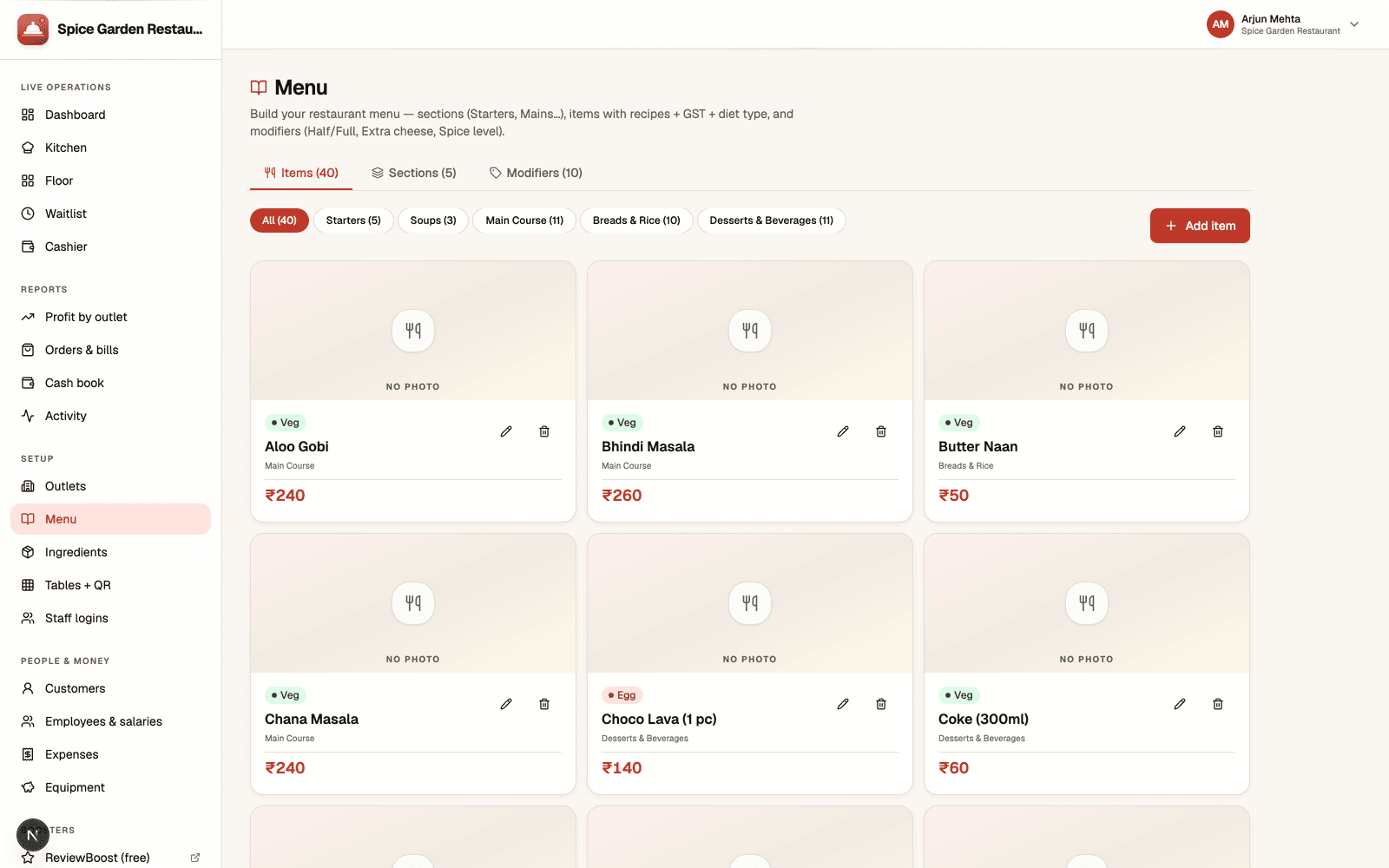
Sections (time-windowed, breakfast 6–11), items (with diet badges veg/non-veg/vegan/egg/jain), modifiers (single/multi, required/optional, price deltas), ingredients (recipe lines).
Sequential per outlet per day. Sources: captain, QR, owner-quick. Order channels: dine-in, takeaway, phone, Swiggy, Zomato, Dunzo. State: pending → preparing → ready → served.
Real-time KOT feed via Socket.IO, color-coded by source. Filter by kitchen code (separate cooking stations). Cook role sees only KDS, no billing, no tables.
Multiple KOTs coalesce into one bill. HSN-aware GST per item with CGST/SGST split. Service charge, discounts, split payments (cash + UPI in one bill).
Static UPI QR on every bill, linked to outlet's VPA. Razorpay for online subscriptions; UPI intent for guests = zero gateway fee on the dining side.
Five preset triggers (confirmed, ready, delivered, payment received, birthday). Invoice link + UPI QR sent via WhatsApp 24-hour window. Full message log with delivery status.
Walk-ins and reservations in one queue. Estimated wait, no-show tracking, allergy notes, VIP tags. Mark seated → auto-creates the dining session on the chosen table.
Six roles (Owner, Manager, Captain, Cashier, Cook, Cleaner). 4–6 digit PIN, bcrypt-hashed. One staff can be Captain at outlet A and Cook at outlet B with different role access at each.
Monthly, hourly or per-order compensation. Outlet assignment drives P&L allocation. Clock-in/out shifts feed accurate payroll on hourly staff.
Rent, utilities, marketing, supplies, transport, repairs. One-time, monthly, quarterly, yearly cadence. Outlet-scoped costs roll up into per-outlet P&L; HQ costs stay business-wide.
Equipment, furniture, vehicles, renovations, tools. Linear amortisation; the per-outlet P&L deducts the monthly slice automatically.
Revenue (paid bills) − COGS (recipe snapshots on served KOTs) − Opex − amortised Capex − Payroll = net profit per outlet, per range.
Lightweight customer record with phone-keyed dedup, tags (VIP, vegan), birthday, address, notes. Drives birthday automation and repeat-customer recognition.
24-hour cron aggregates ingredients consumed (by name, unit, value), top 20 items sold, total COGS for the day. Optional email delivery to the owner.
Bills, KOTs, messages, customer creates, expense entries, one filterable timeline newest-first. Searchable by bill number, customer, etc.
Order sources Swiggy / Zomato / Dunzo / Other tracked with externalOrderId, deliveryFee, riderName, estimated minutes, packedAt, dispatchedAt. KOTs route to a 'parcelled' lane in the kitchen.
04Why this and not the other one
Most multi-outlet POS systems show outlets but not profit. Capturo computes COGS from recipe snapshots taken at the moment each KOT was served, not today's prices retro-applied, so historical margins are auditable.
Every dish, every order, every modifier captures ingredient cost at order-place time. You'll see food cost creep before it eats your margin.
Tables flip cleaning → vacant automatically after a configurable window. Staff stop forgetting to flip stuck tables; the floor map is always honest.
Cooks don't have email addresses. PINs are 4–6 digits, bcrypt-hashed, role-gated per outlet. Onboarding a new cook is 30 seconds.
Lat/lng + radius check on the QR endpoint stops people ordering from outside the restaurant, a real failure mode at busy weekend QSRs.
Not bolted on. Outlets share the menu but override prices, GSTIN, UPI VPA, geofence and timezone. P&L rolls up the way operators actually think.
05Built right
The boring parts done well, multi-tenancy, audit trail, compliance, real-time updates, secure storage. So the interesting parts can stay interesting.
Table status, KDS feed and bill changes push to every device in under a second. No polling, no refresh button.
Captains, cooks and cleaners only see the outlet they're assigned to, JWT carries outlet scope so a shared device can't leak data.
Order data freezes the recipe at the moment the order is placed. Edit the recipe later, and historical orders still cost what they cost.
IANA timezone per outlet so day-end roll-up at 1 AM local is correct even for a Mumbai chain that opened a Dubai branch.
HMAC-SHA256 verified Razorpay webhooks for subscription state changes; idempotent on duplicate deliveries.
06Pricing
free
starter
Save ₹1,189 · 2 months free
pro
Save ₹2,989 · 2 months free
07Questions buyers actually ask
08Ready to try it
Open Capturo Restaurant POS on its own subdomain, sign up, add a handful of test data, and decide if it fits before you spend a rupee.